Webhooks
Receive real-time notifications when events happen in Kanman. Complete guide to webhook configuration, events, and payloads.
Webhooks allow you to receive real-time HTTP notifications when events occur in Kanman. Instead of constantly polling the API to check for changes, webhooks push updates to you the moment something happens. This makes them perfect for building responsive integrations, sending notifications to team chat apps, syncing data with external systems, and triggering automated workflows.
When a relevant event occurs—like a task being created or completed—Kanman immediately sends an HTTP POST request to your specified endpoint with all the details. Your server can then process this information however you need: update an external database, send a Slack message, trigger a CI/CD pipeline, or anything else you can imagine.
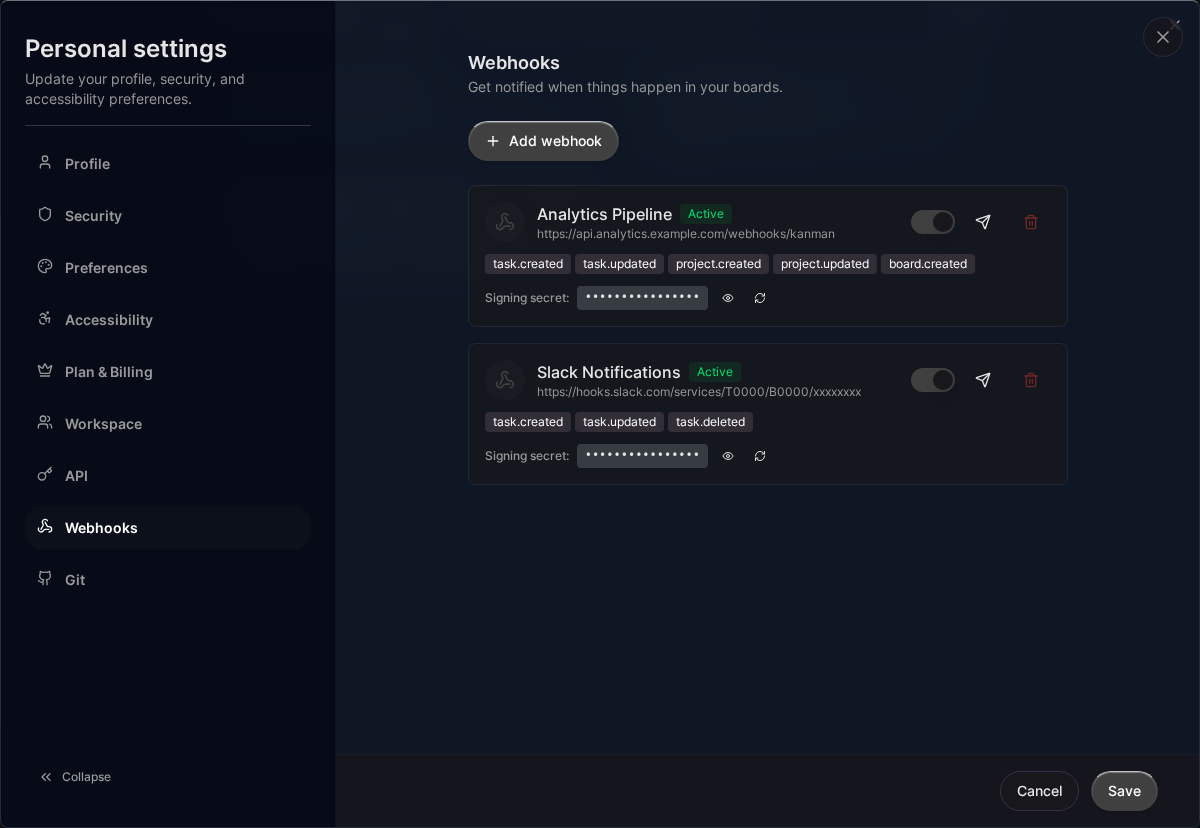
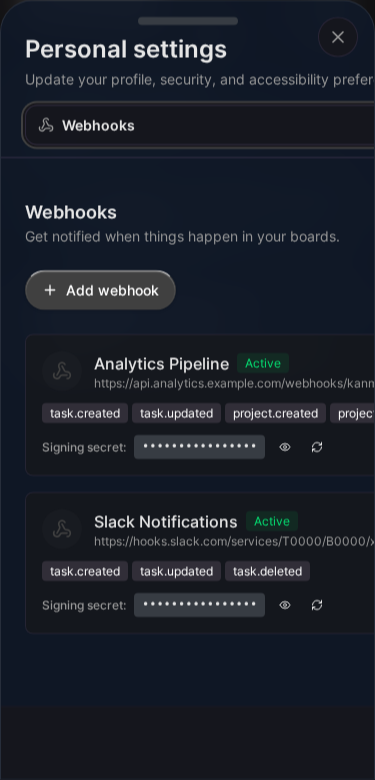
Overview
When you configure a webhook:
- You provide a URL endpoint
- You select which events to listen for
- When those events occur, Kanman sends an HTTP POST to your URL
- Your server processes the notification
Creating a Webhook
- Go to Settings > Integrations > Webhooks
- Click Create Webhook
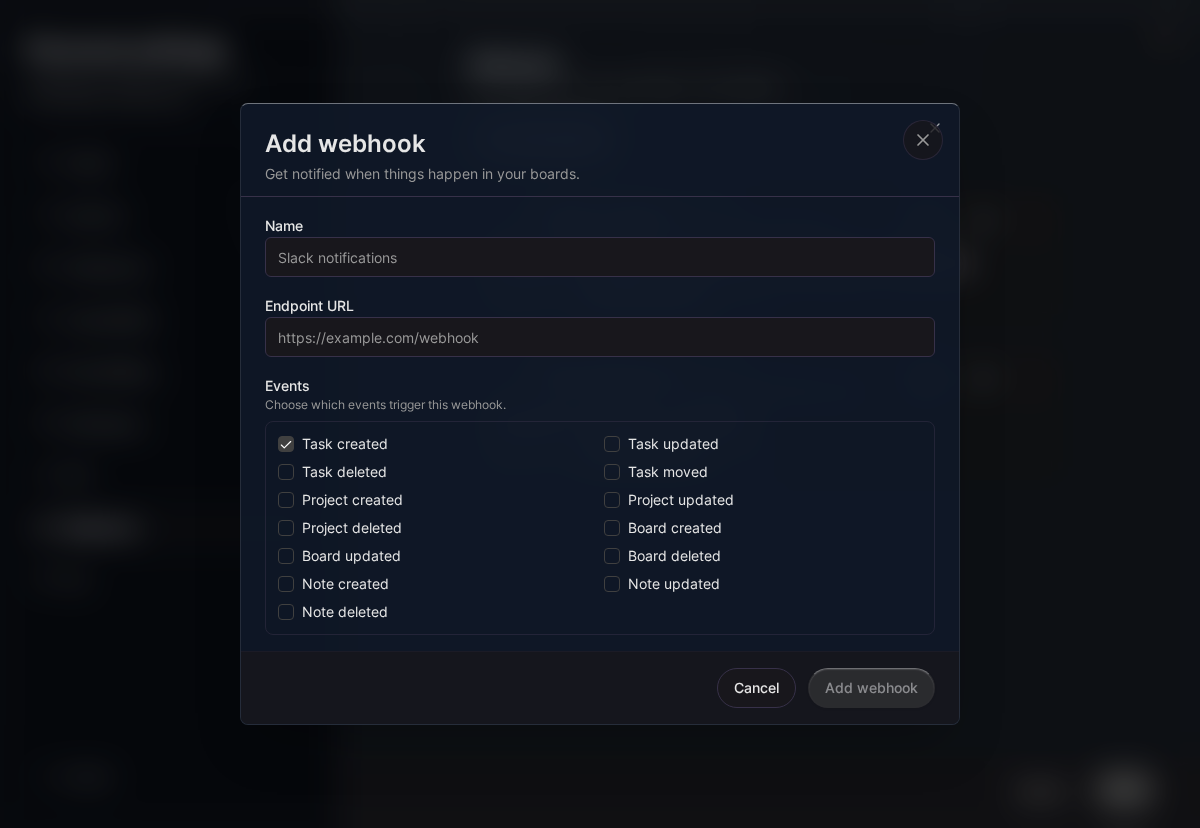
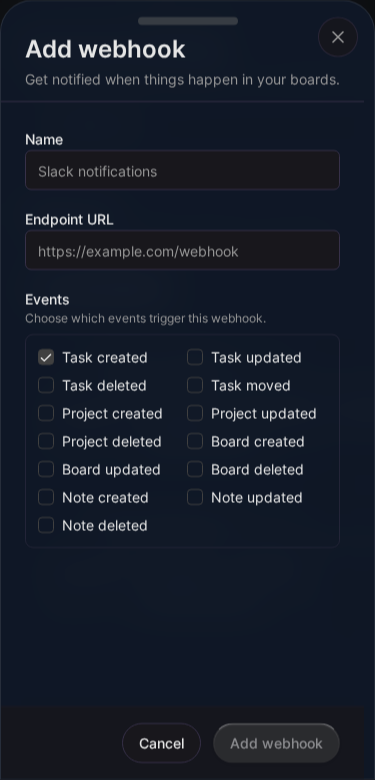
- Configure:
- Name: Descriptive name (e.g., “Slack Notifications”)
- URL: Your endpoint (must be HTTPS)
- Events: Select events to receive
- Secret: Auto-generated or custom (for signature verification)
- Click Create
Webhook Properties
| Property | Description |
|---|---|
name |
Descriptive name (1-100 chars) |
url |
Endpoint URL (HTTPS required) |
secret |
Shared secret for HMAC signatures |
events |
Array of event types to receive |
is_active |
Enable/disable webhook |
Webhook Limits
| Plan | Max Webhooks | Deliveries/Month |
|---|---|---|
| Pro | 5 | 12,000 |
| Teams | 20 | 60,000 |
Events
Task Events
task.created
Fired when a new task is created.
{
  "event": "task.created",
  "timestamp": "2024-01-21T10:30:45Z",
  "data": {
    "id": "770e8400-e29b-41d4-a716-446655440000",
    "label": "Design landing page",
    "status": 0,
    "project_id": "660e8400-e29b-41d4-a716-446655440000",
    "description": null,
    "created_at": "2024-01-21T10:30:45Z"
  }
}
task.updated
Fired when a task is modified (label, status, description, or project).
{
  "event": "task.updated",
  "timestamp": "2024-01-21T11:15:00Z",
  "data": {
    "id": "770e8400-e29b-41d4-a716-446655440000",
    "label": "Design landing page",
    "status": 1,
    "project_id": "660e8400-e29b-41d4-a716-446655440000",
    "description": "Updated description",
    "updated_at": "2024-01-21T11:15:00Z",
    "changes": {
      "status": {
        "old": 0,
        "new": 1
      }
    }
  }
}
task.deleted
Fired when a task is soft-deleted (moved to trash).
{
  "event": "task.deleted",
  "timestamp": "2024-01-21T14:00:00Z",
  "data": {
    "id": "770e8400-e29b-41d4-a716-446655440000",
    "label": "Design landing page",
    "project_id": "660e8400-e29b-41d4-a716-446655440000",
    "deleted_at": "2024-01-21T14:00:00Z"
  }
}
task.moved
Fired when a task is moved to a different project or reordered.
{
  "event": "task.moved",
  "timestamp": "2024-01-21T12:00:00Z",
  "data": {
    "id": "770e8400-e29b-41d4-a716-446655440000",
    "label": "Design landing page",
    "from_project_id": "660e8400-e29b-41d4-a716-446655440000",
    "to_project_id": "660e8400-e29b-41d4-a716-446655440001",
    "position": "aab"
  }
}
Project Events
project.created
{
  "event": "project.created",
  "timestamp": "2024-01-21T09:00:00Z",
  "data": {
    "id": "660e8400-e29b-41d4-a716-446655440000",
    "label": "Q1 Marketing Campaign",
    "board_id": "550e8400-e29b-41d4-a716-446655440000",
    "description": null,
    "created_at": "2024-01-21T09:00:00Z"
  }
}
project.updated
{
  "event": "project.updated",
  "timestamp": "2024-01-21T10:00:00Z",
  "data": {
    "id": "660e8400-e29b-41d4-a716-446655440000",
    "label": "Q1 Marketing Campaign - Updated",
    "board_id": "550e8400-e29b-41d4-a716-446655440000",
    "description": "New description",
    "updated_at": "2024-01-21T10:00:00Z",
    "changes": {
      "label": {
        "old": "Q1 Marketing Campaign",
        "new": "Q1 Marketing Campaign - Updated"
      }
    }
  }
}
project.deleted
{
  "event": "project.deleted",
  "timestamp": "2024-01-21T15:00:00Z",
  "data": {
    "id": "660e8400-e29b-41d4-a716-446655440000",
    "label": "Q1 Marketing Campaign",
    "board_id": "550e8400-e29b-41d4-a716-446655440000",
    "deleted_at": "2024-01-21T15:00:00Z"
  }
}
Board Events
board.created
{
  "event": "board.created",
  "timestamp": "2024-01-21T08:00:00Z",
  "data": {
    "id": "550e8400-e29b-41d4-a716-446655440000",
    "label": "Marketing",
    "description": null,
    "icon_name": "megaphone",
    "created_at": "2024-01-21T08:00:00Z"
  }
}
board.updated
{
  "event": "board.updated",
  "timestamp": "2024-01-21T09:30:00Z",
  "data": {
    "id": "550e8400-e29b-41d4-a716-446655440000",
    "label": "Marketing & Communications",
    "description": "All marketing activities",
    "updated_at": "2024-01-21T09:30:00Z",
    "changes": {
      "label": {
        "old": "Marketing",
        "new": "Marketing & Communications"
      }
    }
  }
}
board.deleted
{
  "event": "board.deleted",
  "timestamp": "2024-01-21T16:00:00Z",
  "data": {
    "id": "550e8400-e29b-41d4-a716-446655440000",
    "label": "Marketing",
    "deleted_at": "2024-01-21T16:00:00Z"
  }
}
Note Events
note.created
{
  "event": "note.created",
  "timestamp": "2024-01-21T11:00:00Z",
  "data": {
    "id": "990e8400-e29b-41d4-a716-446655440000",
    "title": "Meeting Notes",
    "board_id": "550e8400-e29b-41d4-a716-446655440000",
    "created_at": "2024-01-21T11:00:00Z"
  }
}
note.updated
{
  "event": "note.updated",
  "timestamp": "2024-01-21T11:30:00Z",
  "data": {
    "id": "990e8400-e29b-41d4-a716-446655440000",
    "title": "Meeting Notes - Updated",
    "board_id": "550e8400-e29b-41d4-a716-446655440000",
    "updated_at": "2024-01-21T11:30:00Z"
  }
}
note.deleted
{
  "event": "note.deleted",
  "timestamp": "2024-01-21T17:00:00Z",
  "data": {
    "id": "990e8400-e29b-41d4-a716-446655440000",
    "title": "Meeting Notes",
    "board_id": "550e8400-e29b-41d4-a716-446655440000",
    "deleted_at": "2024-01-21T17:00:00Z"
  }
}
HTTP Request
Headers
Every webhook request includes these headers:
| Header | Description |
|---|---|
Content-Type |
application/json |
X-Kanman-Event |
Event type (e.g., task.created) |
X-Kanman-Delivery |
Unique delivery ID (UUID) |
X-Kanman-Timestamp |
Unix timestamp of the event |
X-Kanman-Signature |
HMAC-SHA256 signature |
Signature Verification
Verify webhook authenticity using the signature:
const crypto = require('crypto');

function verifySignature(payload, signature, secret, timestamp) {
  const expectedSignature = crypto
    .createHmac('sha256', secret)
    .update(`${timestamp}.${JSON.stringify(payload)}`)
    .digest('hex');

  return `sha256=${expectedSignature}` === signature;
}

// In your webhook handler
app.post('/webhook', (req, res) => {
  const signature = req.headers['x-kanman-signature'];
  const timestamp = req.headers['x-kanman-timestamp'];

  if (!verifySignature(req.body, signature, WEBHOOK_SECRET, timestamp)) {
    return res.status(401).send('Invalid signature');
  }

  // Process the webhook
  const { event, data } = req.body;
  console.log(`Received ${event}:`, data);

  res.status(200).send('OK');
});
Python Example
import hmac
import hashlib
import json
from flask import Flask, request

app = Flask(__name__)
WEBHOOK_SECRET = 'your_webhook_secret'

def verify_signature(payload, signature, timestamp):
    message = f"{timestamp}.{json.dumps(payload)}"
    expected = 'sha256=' + hmac.new(
        WEBHOOK_SECRET.encode(),
        message.encode(),
        hashlib.sha256
    ).hexdigest()
    return hmac.compare_digest(expected, signature)

@app.route('/webhook', methods=['POST'])
def webhook():
    signature = request.headers.get('X-Kanman-Signature')
    timestamp = request.headers.get('X-Kanman-Timestamp')

    if not verify_signature(request.json, signature, timestamp):
        return 'Invalid signature', 401

    event = request.json.get('event')
    data = request.json.get('data')

    print(f"Received {event}: {data}")

    return 'OK', 200
Response Requirements
Your webhook endpoint should:
- Return 2xx status within 10 seconds
- Respond quickly - do heavy processing asynchronously
- Be idempotent - handle duplicate deliveries gracefully
Good Response
HTTP/1.1 200 OK
Bad Response
HTTP/1.1 500 Internal Server Error
Failure Handling
Automatic Retries
Kanman doesn’t retry failed webhooks. Each event is sent once.
Failure Count
Failed deliveries increment a failure counter. After 5 consecutive failures, the webhook is automatically disabled.
Re-enabling
- Go to Settings > Webhooks
- Find the disabled webhook
- Fix the underlying issue
- Click Enable
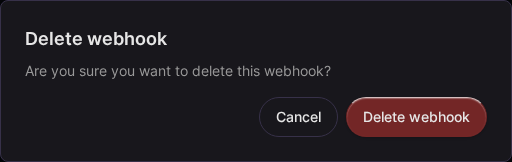
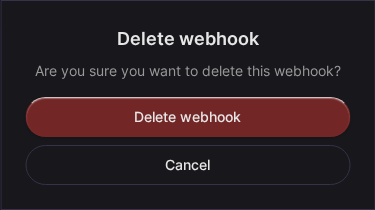
Deleting a Webhook
- Go to Settings > Webhooks
- Click the webhook to open it
- Click Delete
- Confirm deletion
Delivery History
View recent deliveries:
- Go to Settings > Webhooks
- Click on a webhook
- View Recent Deliveries
Each delivery shows:
- Event type
- Timestamp
- Response status
- Response time
- Payload (expandable)
The last 100 deliveries are retained.
Testing Webhooks
Test Delivery
- Go to Settings > Webhooks
- Click on a webhook
- Click Send Test
- A test
pingevent is sent
Test Payload
{
  "event": "ping",
  "timestamp": "2024-01-21T10:00:00Z",
  "data": {
    "message": "Webhook test from Kanman"
  }
}
Local Development
For testing locally, use a tunnel service:
# Using ngrok
ngrok http 3000

# Use the generated URL as your webhook endpoint
# https://abc123.ngrok.io/webhook
Use Cases
Slack Notifications
Send task updates to Slack:
app.post('/webhook', async (req, res) => {
  const { event, data } = req.body;

  if (event === 'task.created') {
    await fetch(SLACK_WEBHOOK_URL, {
      method: 'POST',
      headers: { 'Content-Type': 'application/json' },
      body: JSON.stringify({
        text: `New task created: ${data.label}`
      })
    });
  }

  res.sendStatus(200);
});
Sync with External System
Keep an external database in sync:
app.post('/webhook', async (req, res) => {
  const { event, data } = req.body;

  switch (event) {
    case 'task.created':
      await externalDB.tasks.create(data);
      break;
    case 'task.updated':
      await externalDB.tasks.update(data.id, data);
      break;
    case 'task.deleted':
      await externalDB.tasks.delete(data.id);
      break;
  }

  res.sendStatus(200);
});
Analytics Tracking
Track task completions:
app.post('/webhook', async (req, res) => {
  const { event, data } = req.body;

  if (event === 'task.updated' && data.changes?.status?.new === 2) {
    await analytics.track('task_completed', {
      taskId: data.id,
      projectId: data.project_id,
      completedAt: data.updated_at
    });
  }

  res.sendStatus(200);
});
Best Practices
- Verify signatures - Always validate webhook authenticity
- Respond quickly - Return 200 immediately, process async
- Handle duplicates - Use delivery ID for idempotency
- Log deliveries - Keep records for debugging
- Monitor failures - Alert on repeated failures
- Use HTTPS - Never use plain HTTP endpoints
Related Topics
- API Reference - REST API documentation
- Rate Limits - Delivery quotas
- Authentication - API tokens
Last updated: January 1, 0001
Try Kanman